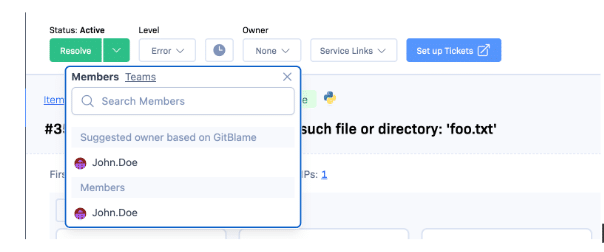
In addition to our existing channels (Email, Asana, Github Issues, Pivotal Tracker, and Webhook), we’re launching support for four more: Campfire, Hipchat, JIRA, and Trello. You can set up all of this in Settings -> Notifications.
Notification Rules Engine
Notifications are now configured per-project (instead of per-user-per-project), using a trigger-action model. There are triggers for the following events:
New Item (first occurrence of a new issue)
Reactivated Item (a previously resolved issue has occurred again)
10nth Occurrence (an issue has occurred for the 10th, 100th, etc. time)
Resolved Item (an item has been resolved by hand)
Reopened Item (an item has been reopened by hand)
Post-deploy (you’ve notified us that you deployed a new release)
Corresponding actions are available for most actions in most channels. If it would make sense, it probably exists.
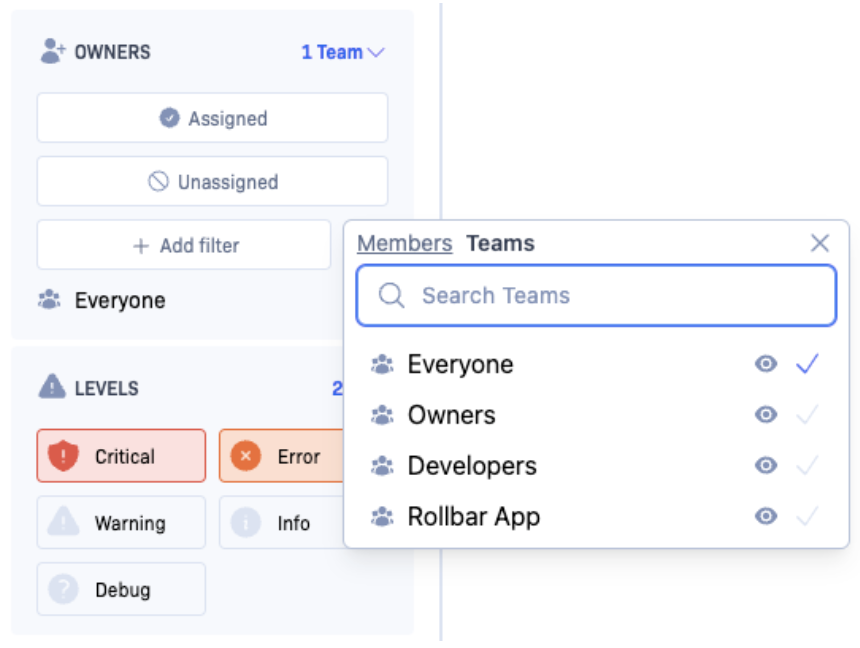
Most actions can be configured as you’d expect (i.e. set which teams should receive an email, or which user to assign JIRA issues to).
Item-related triggers can be filtered by environment, level, title (exception class+message), and filename. Deploy triggers can be filtered by environment and comment. Our underlying tech supports much more than the UI exposes, so let us know what other filters you’d like to see.
Migration for existing customers
We’ve migrated existing customers’ settings to the new system, but there were a few aspects that didn’t map very well (i.e. per-user-per-project settings). We hope the new system is easier to use for most use-cases and still workable for complex setups, but let us know if there’s something you are having trouble doing.
Questions? Feedback?
Let us know if you have any questions about how to get the notifications you want. We look forward to your feedback. What other integrations do you want? Let us know in the comments, or email us at team@rollbar.com.
You’ve probably seen unique constraints somewhere – either in Rails’ validates :uniqueness, Django’s Field.unique, or a raw SQL table definition. The basic function of unique constraints (preventing duplicate data from being inserted) is nice, but they’re so much more powerful than that. When you write INSERT or REPLACE statements that rely on them, you can do some pretty cool (and efficient) things that you would’ve had to do multiple queries for otherwise.
This post covers unique indexes in MySQL 5.5. Other versions of MySQL are similar. I’m not sure about Postgres or other relational databases but presume they’re similar-ish as well.
Primer: what is a unique index?
Pre-primer: data in a database is stored on disk somewhere. In a SQL database, the data is organized into tables which have rows and columns. An index is a way to look up particular rows, based on the values of one or more columns, without having to scan through the whole table. Instead, you look up those values in the index, which tells you where to find the matching rows.
Index lookups are typically faster than full table scans because they’re organized for fast searches on the indexed columns (usually using binary trees), and they’re also generally smaller than the original data.
A unique index is an index that also imposes a constraint: that no two entries in the index can have the same values. It can be comprised of one column or many columns. If many columns, then the entire tuple of columns is used for determining uniqueness. There can be other columns in the table that are not part of the index; these don’t affect the constraint.
Primary keys are a special case of unique index; we’ll cover this in more detail later.
Unique indexes can be created in a CREATE TABLE statement like this 123123:
A unique constraint prevents you from changing your data in a way that would result in having duplicate data in the index. For example, given the above ‘user’ table, the following will happen if we try to insert duplicate data:
So we can see that unique indexes are a great way to maintain consistency of our data at the database level. If two people try to sign up with the same username, for example, the database will reject it and return a duplicate key error.
Taking it to the next level
MySQL provides several commands, all variations of INSERT, that can take advantage of unique indexes by specifying what to do (instead of erroring) when the insert would result in a duplicate. These are best illustrated by example.
INSERT … ON DUPLICATE KEY UPDATE
Let’s say we’re building a simple ad impression tracking system. Ads are served by web servers and the impression counts are tracked in a database. We just want to know the number of ad impressions each hour. So we make a table like this:
12345
CREATETABLEhour_impression(hourintunsignednotnull,-- number of hours since unix epochimpressionsintunsignednotnulldefault0,primarykey(hour));
Side note: here we’re using hour as the primary key, rather than having an auto-increment primary key like before in the ‘user’ table. This guarantees that hour is unique (since primary keys are a subset of unique keys), and has a nice property of laying out the data on disk in hour-order.
A naive algorithm for recording each impression would be to:
Check if a row already exists for the hour
If not: INSERT INTO hour_impression (hour, impressions) VALUES (:hour, 1)
If so: UPDATE hour_impression SET impressions = impressions + 1 WHERE hour = :hour
But this exposes a race condition: what happens if two impressions happen at approximately the same time, on two different web servers? It’s possible that both will try to INSERT, and the second one is going to fail (because of the unique constraint).
What we want to do is combine the above algorithm into a single step. This is what INSERT … ON DUPLICATE KEY UPDATE is for:
Now that it’s a single step, we can run as many of these statements in parallel as we want, and the database will take care of the concurrency issues for us. Sweet!
INSERT IGNORE
Now let’s say instead of counting the number of impressions in each hour, we just want to know which minutes any impressions at all were shown. So we create a table like this:
1234
CREATETABLEminute_impression(minuteintunsignednotnull,-- number of minutes since the unix epochprimarykey(minute));
Similar to before, a naive algorithm for recording which minutes had any impressions would be to:
Check if a row already exists for the minute
If so, do nothing
If not, INSERT INTO minute_impression (minute) VALUES (:minute)
This has the same kind of race condition as in the previous example. INSERT IGNORE exists to combine all of this into a single step:
And as before, now we can run as many of these in parallel as we want and let the database take care of the concurrency.
More tricks
REPLACE
The opposite of INSERT IGNORE. Overwrites matching rows with the new data instead of discarding it.
Nullable unique indexes
Values in a unique index have to be unique, but there’s an exception: NULLs don’t count. For example, let’s say you let people pick their username after signup. You might have table like:
You can have as many users as you like who haven’t chosen a username (it’ll be NULL) while still preventing multiple users from having the same username.
VALUES() in the ON DUPLICATE KEY UPDATE clause
You can insert multiple rows in a single INSERT … ON DUPLICATE KEY UPDATE statement, and the UPDATE rule will apply for each row that would’ve been a duplicate. In some cases you’ll want the update statement to reflect the values of each particular row, and that’s not possible to do by hardcoding them in the statement.
For example, let’s return to the ad impression tracking problem from before, with this hour_impression table:
12345
CREATETABLEhour_impression(hourintunsignednotnull,-- number of hours since unix epochimpressionsintunsignednotnulldefault0,primarykey(hour));
But now instead of recording impressions one at a time, we’re batching them so that each INSERT increments impressions by a value 1 or higher. If we insert one of these batches at a time, we can do:
1234
INSERTINTOhour_impression(hour,impressions)VALUES(379015,23)-- 23 impressions during 12am 3/28/2013ONDUPLICATEKEYUPDATEimpressions=impressions+23
If we want to insert multiple rows in the same statement, there’s a problem – the amount in the UPDATE clause is hardcoded. We can fix this using VALUES() to reference the value from the would-have-been-inserted row:
Unique indexes are useful when used alone and become incredibly powerful when used in combination with INSERT … ON DUPLICATE KEY UPDATE and its variants. We make heavy use of this at Rollbar and it works great.
Questions? Corrections? Let me know in the comments.
We’ve released an updated to how Javascript errors are grouped in Rollbar. The new update does a better job of separating different errors into different groups (“Items” in Rollbar parlance) while still recognizing the same issue in different browsers as the same. It’s now enabled for all new projects. Existing projects can enable it on the Migrations tab in Settings.
Now the longer version…
First some background: by default, exceptions in Rollbar are grouped using their stack traces. We take all of the filenames and method names in all of the stack frames, plus the exception class name, apply a number of heuristics to normalize them, and then combine everything together and take a sha1 hash. The result is a 40-character string used as the “fingerprint”; occurrences with matching fingerprints that also have the same project, environment, and platform are grouped together. The fingerprint can also be overridden at the API level for custom grouping.
This generally works pretty well:
Omitting the line numbers from stack frames means groups persist across code changes elsewhere in the file.
Using the whole stack trace, instead of just the very last frame, avoids conflating unrelated issues that happen to cause an exception on the same line of code.
Using just the exception class, instead of also the message, avoids including data in the fingerprint, and when we have a nice, long stack trace, that’s usually enough uniqueness.
Javascript uncaught errors are a different story though. They’re reported through window.onerror, which luckily is supported in all major browsers but doesn’t provide a lot of context: only the error message, filename, and line number. The Rollbar javascript library converts this into a stack trace with a single frame (using the filename and line number), and parses the error message to get a semblance of class and message.
The problem with this approach has been that since the grouping algorithm only uses filenames (not line numbers), there’s only one stack frame, since it only uses the exception class name (not message), there isn’t a whole lot of uniqueness. The updated algorithm improves this dramatically. Here’s how it works:
There aren’t that many different kinds of Javascript errors. We’ve built up a database of the error messages generated by all of them, in all major browsers.
When we process an error, we try to match it against the patterns we know about. Several of the patterns have data in them; for some of the patterns, we keep the data (i.e. if it’s a variable name), and in others we discard it (i.e. if it’s an out-of-range precision value).
If we aren’t able to match any of the known patterns, we fall back to the old algorithm.
We’ve been using this internally for the past couple weeks and so far it feels much better. A caveat: our pattern database currently is English-only, so errors from end-users with their language preferences set otherwise will be grouped using the old algorithm.
The new algorithm is now enabled for all newly-created projects. We aren’t automatically turning it on for old projects because none of the new groups will map to old groups; this will be a one-time event but could result in a lot of notifications and we don’t want to force the change. To enable it for an existing project, find the Migrations tab in the Settings for your project, and check the box next to “Browser JS Occurrence Grouping V2”.
Any questions? Let us know in the comments.
Rollbar collects and analyzes errors so you can find and fix them faster. Create a free account to get started today.
We’ve updated all of our notifier library repositories to match the name change to Rollbar today. The old Ratchet.io repos have been deprecated and all further development will continue on the respective Rollbar versions.
Please note that the submit.ratchet.io endpoint and the existing libraries will continue to work for the indefinite future, so you don’t have to do anything right now. But we do recommend upgrading to take advantage of future updates.
Upgrading should be seamless and quick. Please contact support@rollbar.com if you run into any issues.
Here are links to the upgrade instructions for each:
Browser JS - update the JS snippet used on your site to the version shown here
Today we’re excited to announce the public launch of Rollbar. Rollbar tracks and analyzes errors in production applications, helping dev and ops teams diagnose and fix them.
Platform-agnostic API
Anything that can speak JSON and HTTP can talk to Rollbar. Our API accepts raw “items” (errors, exceptions, and log messages) and deploys as inputs, and aggregated items, occurrences, and deploys as outputs. We provide official libraries for Ruby, Python, PHP, Node.js, Javascript, and Flash; or you can roll your own.
Severity levels
Just because something raises an exception, doesn’t mean it should be treated as an “error”. Rollbar lets you utilize five severity levels (from “debug” to “critical”) to control visibility and notifications. Severity can be set in your code, or after-the-fact in the Rollbar interface.
Track users through your stack
Person tracking helps you provide great customer support by emailing affected users when you fix an error they hit. Or see the history for a particular user and link customer error reports to code problems, client- and server-side.
So much more
API endpoints on 3 continents. Resolving and reactivations. Real-time notifications for new issues. Graphs everywhere. Deploy tracking. Search by title, host, file, context, date, severity, status. Replay an issue by pressing a button. SSL everywhere. Github, Asana, and Pivotal Tracker integration.
We’ve built many of the pieces our beta customers have needed, and we really think you’re going to like it. Start a free trial now, or see pricing, features, or docs.
More firepower
We’re also excited to announce that we’ve raised an initial round of funding from some of the smartest people in the business. Mike Hirshland (Resolute.vc), Hiten Shah (KISSmetrics), and Arjun Sethi participated in the round. This funding gives us some extra firepower to grow the team and bring our vision to life.
We’re really excited and can’t wait to keep making Rollbar better!
Tl;dr: from about 9:30pm to 12:30am last night, our website was unreachable and we weren’t sending out any notifications. Our API stayed up nearly the whole time thanks to an automatic failover.
We had our first major outage last night. We want to apologize to all of our customers for this outage, and we’re going to continue to work to make the Rollbar.com service stable, reliable, and performant.
What follows is a timeline of events, and a summary of what went wrong, what went right, and what we’re doing to address what went wrong.
Background
First some background: our infrastructure is currently hosted at Softlayer and layed out like this (simplified):
That is:
our primary cluster of servers is in San Jose
all web traffic (rollbar.com / www.rollbar.com) is handled by lb2
all API traffic (api.rollbar.com) is handled by lb1
lb3 (in Singapore) and lb4 (Amsterdam) are ready to go but not in use yet (more on this below), providing failover and faster API response times to customers outside of the Americas.
We’ve been in the process of setting up lb3 and lb4, along with some fancy DNS functionality from Dyn, to provide redundancy and faster response times to our customers outside of the Americas. Each is running a stripped-down version of our infrastructure, including:
a frontend web server (nginx)
two instsances of our node.js API server
a partial database slave (for validating access tokens)
our offline loading process (soon to be open-sourced!), for doing async writes to the active master database.
Switching DNS to Dyn requires changing the nameservers, which can take “up to 48 hours”. At the start of this story, it’s been about 36 hours. To play it safe, after testing out Dyn on a separate domain, we configured it to have the same settings as we had before – lb3 and lb4 are not in play yet.
Timeline
Now the (abbreviated) timeline. All times are PST.
9:30pm: Cory got an alert from Pingdom that our website (rollbar.com) was down. He tried visiting it but it wouldn’t load (just hung). Remembering the pending DNS change, he immediately checked DNS propagation and saw that rollbar.com was pointing at the wrong load balancer – lb1 (the API tier), not lb2.
Cory and Sergei investigated. The A record for rollbar.com showed as correct in Dyn, but DNS was resolving incorrectly.
9:47pm: Cory and Sergei looked at @SoftlayerNotify and saw that there was an issue underway with one of the routers in the San Jose data center.
9:49pm: Website accessible by its IP address.
9:51pm: No longer accessible by IP.
10:05pm: Twitter search for “softlayer outage” shows other people being affected.
10:05pm: API tier (api.rollbar.com) appears to be working. Sergei verifies that it’s hitting lb3 (in Singapore).
You might notice that we said before that lb3 wasn’t supposed to be in service yet. What appeared to have happened DNS had automatically failed over to lb3 (since lb1 was down because of the Softlayer outage). We had set something like this up before when testing out Dyn, but it wasn’t supposed to be active yet. Fortunately, lb3 was ready to go and handled all of our API load just fine.
10:22pm: Sergei tries fiddling with the Dyn configuration to see if anything helps.
10:35pm: Sergei starts trying to get ahold Dyn
10:58pm: Softlayer posts that “13 out of 14 rows of servers are online”. We must be in the 14th, because we’re still unreachable at this point. Brian tries hard-rebooting the ‘dev’ server to see if it helps. It doesn’t.
11:15pm: Sergei gets a call from Dyn, who tells him that the problem was a “stale Real-Time Traffic Manager configuration” and they’re looking into it.
11:54pm: @SoftlayerNotify posts that “all servers are online however some intermittent problems remain”
11:55pm: Sergei notices that the A record for rollbar.com in the Dyn interface appears to have been deleted, and he can’t add it back.
12:00am: Brian sees that rollbar.com is working again. Cory notices that API calls are hitting lb2, causing them to hit the old, non-optimized API handling code on our web tier, overloading them and causing the website to hang. Frequent process restarts minimize the impact.
12:19am: Sergei gets an email back from Dyn saying that they’re still looking into the problem.
12:28am: Dyn calls to say they were able to fix everything. Sergei confirms. lb3 and lb4 are now fully utilized.
12:42am: Brian tweets that all systems are stable.
2:58am: Softlayer tweets that they’re about to run some code upgrades on the troubled router, which will cause some public network disruption.
4:00am:- A customer reports connectivity issues to rollbar.com
4:10am: Softlayer tweets that the troubled router is finally stable.
So what happened here?
Softlayer experienced a network outage, causing our servers in San Jose to be intermittently, then fully, unreachable
This triggered a DNS failover controlled by a stale Dyn configuration, which cascaded into a broken set of DNS records
After about 3 hours, our San Jose servers came back online, and about 30 minutes after that, the DNS issue was resolved.
What went right
We were notified of the problem by our backup monitoring service, Pingdom. (We’re using Nagios as our primary, but it runs inside of San Jose.)
Dyn’s DNS failover did work, even though wasn’t really supposed to be turned on. Our logs don’t show any large gaps in customer data being received.
A single machine (lb3) was able to handle all of our API traffic during the outage.
The API tier was able to handle a master-offline situation.
When San Jose came back online, data processing quickly caught up, notifications were sent, and the system was stable.
Our team came together, stayed mostly calm, and did everything we reasonably could to restore service as quickly as possible.
As a bonus, our Singapore and Amsterdam servers are now in service.
What went wrong
Parts of our service were unusable for a long period of time
Notifications for new errors, etc. weren’t sent
The web app didn’t load, and there was no maintenance page.
Even though the Softlayer private network was at least partially accessible, we couldn’t access it because we only had one way in (‘dev’, in San Jose).
The web tier got crushed trying to handle the API load with its old code.
Action items
In the short term (most of this will get done today):
1b. Set up a web server in a separate datacenter to serve a maintenance page.
1c. Add meta-level checks to status.rollbar.com. It currently gets data pushed from Nagios, but this isn’t helpful when San Jose is entirely unreachable.
2. Add another ‘dev’-like machine that we can use to administer servers, deploy code, etc. if San Jose is unreachable
3. Remove that old code, and make it an error if any API traffic hits the web tier.
And longer term:
1a. Add a host master standby in another datacenter for fast failover. If an episode like last night’s happens again, this will let us get notifications back online in a few minutes instead of a few hours.
1b. Set up a read-only web tier in another datacenter
Conclusion
We hope this was, if nothing else, an interesting look into our infrastructure, and to the journey of building a highly-available we service.
If you have any questions about the outage or otherwise, let us know in the comments or email us at support@rollbar.com
We’re happy today to announce the release of real-time search. You can now search your exceptions, errors, and log messages by title:
For exceptions, the title contains the exception class and message. For errors and log messages, it contains the entire message. It’s a full-text search that works best on whole words; we also do a few tricks with camelCase and underscore_separated terms.
The search index is kept up-to-date in real-time as new items are added to the system (that’s the “real-time” part). Typically the delay is ~2 seconds from receiving the input at our API to being in the index and searchable.
Current customers can try it out now; let us know if you run into any issues. What else would you like to see indexed?
We’re using the new Sphinx realtime features for indexing and querying. It’s currently running on a single dedicated machine (1 core, 2GB ram, 100GB local disk).
New items are indexed by a long-running script that indexes new items as they are inserted. (It keeps track of its location in the table and polls every second for new rows.) The index includes two full-text fields, title and environment, and two scalar attributes, status and level.
Title and environment don’t change, so we don’t need to update them. But status (active/resolved) and level (critical/error/warning/info/debug) do. We keep these in sync by simply writing to the search server whenever we update the primary database and whenever we modify our tokenizing algorithm.
Queries are routed through our API server, which returns the paged list of matching item ids that we can then use to filter with on our primary database, (in case the search results are out of date) and fetch the other data necessary for the results page (last occurrence, etc.)
Although our setup is straightforward, there were a few gotchas and lessons learned.
Infix queries
Sphinx’s realtime index does not currently support infix queries. That means that if you’re searching for “Error” then exceptions with titles like “ReferenceError” or “not_found_error” or even “(Error)” would not be found. To get around this, we index both the original title as well as another set of tokens that we’ve determined are useful for the lookup.
e.g. “#462 UnicodeEncodeError: ‘latin-1’ codec can’t encode character u’\u0441’ in position 71: ordinal not in range(256)”
gets tokenized and becomes
“#462 UnicodeEncodeError: ‘latin-1’ codec can’t encode character u’\u0441’ in position 71: ordinal not in range(256) can’t u0441 71 256 Unicode Encode Error latin-1’”
By tacking on these extra tokens, we are able to support most of the relevant infix searches our users are likely to make.
Sphinx + MySQL
Sphinx search comes with a super-handy feature that lets you connect, add and query the search index using a vanilla MySQL protocol. This is great for debugging and testing but comes with some caveats.
There are a lot of operations that SphinxQL does not yet support. One of the major ones is the lack of support for “OR” where_conditions and another is lack of a “COUNT(*)” method.
Since our API server is written in node, we were able to use the node-mysql library from Felix Geisendörfer. After plugging in the library, we noticed that the Sphinx server drops client connections fairly rigorously so we implemented a layer on top of the node-mysql library to handle reconnects, disconnects, etc… This has been great since it lets us perform maintenance on the Sphinx server without taking down our API server.
REPLACE
Lastly, we made sure that we were able to re-index our entire database into our Sphinx server by only using the REPLACE command when inserting new items. The docs mention that this can cause memory issues but since it’s so infrequent for our use-case, we haven’t run into any trouble and the benefit of re-indexing whenever we want more than makes up for it.
At Rollbar.com, we’ve been using Pyramid as our web framework and have been pretty happy with it. It’s lightweight and mostly stays out of our way.
Pyramid doesn’t have a global request object that you can just import [1], so it makes you pass around request wherever you need it. That results in a lot of library code that looks like this:
# views/auth.py@view_config(route_name='auth/login')deflogin(request):# (do the login...)helpers.flash_success(request,"You're now logged in.")# (redirect...)
That is, there ends up being a lot of function calls that pass request as their first argument. Wouldn’t it be nicer if we could attach these functions as methods on request itself? That would save a few characters every time we call them, and let us stop thinking about whether request is the first or last argument. Pyramid facilitates this by letting us provide our own Request Factory:
Now the request passed to our view methods, and everwhere else in our app, has our hello method.
So, what can we do with this that’s actually useful? In our codebase, we have a few convenience methods to get data about the logged-in user, flash messages, and check if features are enabled.
classMoxRequest(pyramid.request.Request):# logged-in-user access@util.CachedAttributedefuser_id(self):frompyramid.securityimportauthenticated_useriduser_id=authenticated_userid(self)log.debug('authenticated user id: %r',user_id)returnuser_id@util.CachedAttributedefuser(self):user_id=self.user_idifuser_id:returnmodel.User.get(user_id)returnNone@util.CachedAttributedefusername(self):ifself.user:returnself.user.usernameelse:returnNonedefgater_check(self,feature_name):returnself.registry.settings.get('gater.%s'%feature_name)=='on'# flash methodsdefflash_success(self,body,title=''):self._flash_message(body,title=title,queue='success')defflash_info(self,body,title=''):self._flash_message(body,title=title,queue='info')defflash_warning(self,body,title=''):self._flash_message(body,title=title,queue='warning')defflash_error(self,body,title=''):self._flash_message(body,title=title,queue='error')def_flash_message(self,body,title='',queue=''):self.session.flash({'title':title,'body':body},queue=queue)
This just sits in our top-level __init__.py, along with the main() entry point.
Notes: @util.CachedAttribute contains this recipe. “Mox” is an easy-to-type codename, named after these mountains.
[1] I’m still not sold on this, but I’m getting by. It arguably causes problems with testing and such, but it is pretty nice to magically from flask import request.
I first heard about Fabric a couple years ago while at Lolapps and liked the idea of:
writing deployment and sysadmin scripts in a language other than Bash
that language being Python, which we used everywhere else
but we already had a huge swath of shell scripts that worked well (and truth be told, Bash isn’t really that bad). But now that we have at clean slate for Rollbar, Fabric it is.
I wanted a simple deployment script that would do the following:
check to make sure it’s running as the user “deploy” (since that’s the user that has ssh keys set up and owns the code on the remote machines)
for each webserver:
git pull
pip install -r requirements.txt
in series, restart each web process
make an HTTP POST to our deploys api to record that the deploy completed successfully
importsysfromfabric.apiimportrun,local,cd,env,roles,executeimportrequestsenv.hosts=['web1','web2']defdeploy():# pre-roll checkscheck_user()# do the roll.update_and_restart()# post-roll tasksrollbar_record_deploy()defupdate_and_restart():code_dir='/home/deploy/www/mox'withcd(code_dir):run("git pull")run("pip install -r requirements.txt")run("supervisorctl restart web1")run("supervisorctl restart web2")defcheck_user():iflocal('whoami',capture=True)!='deploy':print"This command should be run as deploy. Run like: sudo -u deploy fab deploy"sys.exit(1)defrollbar_record_deploy():# read access_token from production.iniaccess_token=local("grep 'rollbar.access_token' production.ini | sed 's/^.* = //g'",capture=True)environment='production'local_username=local('whoami',capture=True)revision=local('git log -n 1 --pretty=format:"%H"',capture=True)resp=requests.post('https://api.rollbar.com/api/1/deploy/',{'access_token':access_token,'environment':environment,'local_username':local_username,'revision':revision},timeout=3)ifresp.status_code==200:print"Deploy recorded successfully"else:print"Error recording deploy:",resp.text
Looks close-ish, right? It knows which hosts to deploy to, checks that it’s running as deploy, updates and restarts each host, and records the deploy. Here’s the output:
Lots of good things happening. But it’s doing the whole process – check_user, update_and_restart, rollbar_record_deploy – twice, once for each host. The duplicate check_user just slows things down, but the duplicate rollbar_record_deploy is going to mess with our deploy history, and it’s only going to get worse as we add more servers.
Fabric’s solution to this, described in their docs, is “roles”. We can map hosts to roles, then decorate tasks with which roles they apply to. Here we replace the env.hosts declaration with env.roledefs, decorate update_and_restart with @roles, and call update_and_restart with execute so that the @roles decorator is honored:
importsysfromfabric.apiimportrun,local,cd,env,roles,executeimportrequestsenv.roledefs={'web':['web1','web2']}defdeploy():# pre-roll checkscheck_user()# do the roll.# execute() will call the passed-in function, honoring host/role decorators.execute(update_and_restart)# post-roll tasksrollbar_record_deploy()@roles('web')defupdate_and_restart():code_dir='/home/deploy/www/mox'withcd(code_dir):run("git pull")run("pip install -r requirements.txt")run("supervisorctl restart web1")run("supervisorctl restart web2")defcheck_user():iflocal('whoami',capture=True)!='deploy':print"This command should be run as deploy. Run like: sudo -u deploy fab deploy"sys.exit(1)defrollbar_record_deploy():# read access_token from production.iniaccess_token=local("grep 'rollbar.access_token' production.ini | sed 's/^.* = //g'",capture=True)environment='production'local_username=local('whoami',capture=True)revision=local('git log -n 1 --pretty=format:"%H"',capture=True)resp=requests.post('https://api.rollbar.com/api/1/deploy/',{'access_token':access_token,'environment':environment,'local_username':local_username,'revision':revision},timeout=3)ifresp.status_code==200:print"Deploy recorded successfully"else:print"Error recording deploy:",resp.text
That’s more like it. Since env.hosts is not set, the undecorated tasks just run locally (and only once), and the @roles('web')-decorated task runs for each web host.