

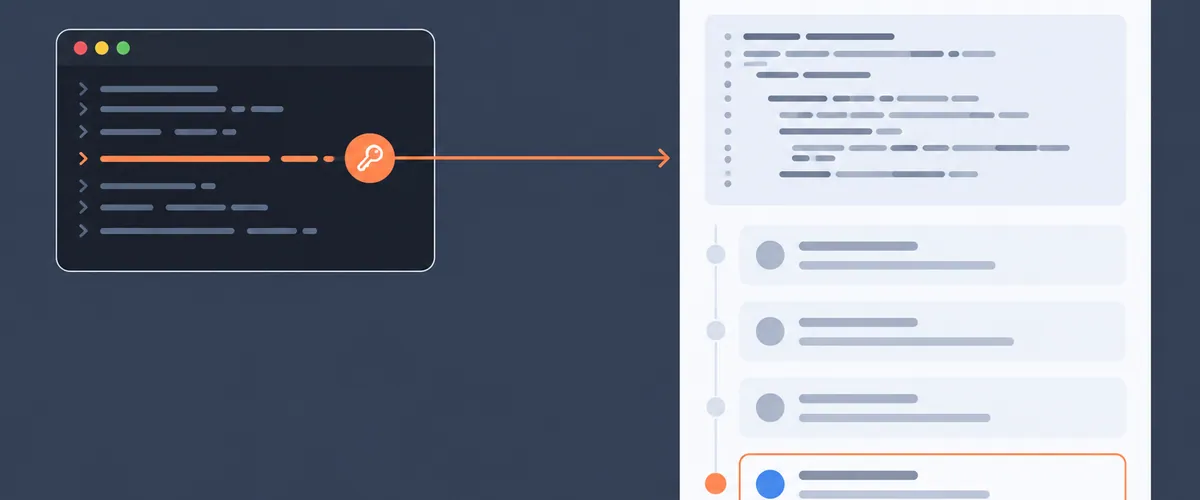
With a Rollbar personal access token, a script can post its result as a comment on a Rollbar item. If a nightly job reruns the steps that reproduce an open error, it can post each night’s pass or fail on the item itself, next to the stack trace.
This guide covers creating the token, finding the two IDs the API needs, posting one comment with curl, and a Python script that runs any command and posts its result.
TL;DR
- The Rollbar API accepts a new item comment only from a personal access token with
writescope, and it rejects project access tokens and service tokens on that endpoint. - You create a personal access token in your own user settings, under User Settings → Personal access tokens.
- Posting a comment is one POST request to
/api/1/item/{item_id}/commentswith the item’s project ID and the comment text. - The comment appears in the item’s history, credited to you and labeled as posted through the API.
- The token has the same access to the Rollbar API that you have in the Rollbar UI, and it stops working when you leave the account.
Where the result shows up
If the item reopens three weeks after you resolved it, its history still shows the nightly repro failing on one build and passing on the next. By then the CI log with the same result has usually been rotated out.
The item history holds comments, resolve notes, merges, and changes to status, level, assignment, title, and snooze, according to the Rollbar changelog entry for personal API tokens. Rollbar adds a “via API” label to a comment your script posts, so readers can tell it apart from one a teammate typed.
Rollbar credits every comment to a person, so the comments endpoint accepts only personal access tokens. Project access tokens and service tokens belong to a project or an account, and Rollbar rejects them there.
Before you start
You need four things:
- A Rollbar user on a team with access to the item’s project. Members of any team with access to a project hold the
commentpermission on it, according to the Rollbar Access Tokens docs. - curl, for steps 2 and 3.
- Python 3.8 or later, for the script in step 4. It uses only the standard library, so there is nothing to install.
- The number of the item you want to comment on. In
https://rollbar.com/your-account/your-project/items/456/, the item number is 456.
Step 1: Create a personal access token in your user settings
Open User Settings in Rollbar and go to the Personal access tokens page. Create a token with both read and write scope, because the script uses read to look up the item and write to post the comment.
Copy the token as soon as it appears. Rollbar stores only a SHA-512 hash of the token, so it shows you the full value once, when you create it.
You can create a personal access token only in user settings. Account settings has a Personal tab under Settings → API access tokens, which is where an account owner views and deletes every user’s personal access tokens.
The token carries the permissions you already have, so your admin doesn’t need to grant you anything or create a project token for the script.
Store the token in an environment variable rather than in the script:
export ROLLBAR_PERSONAL_TOKEN="paste-your-token-here"
In a CI system, put it in the secrets store and expose it to the job under the same name.
Step 2: Find the project ID and the item ID
The comments endpoint needs two numbers that the item’s URL does not show: the project ID and the item ID. The 456 in the URL is the item’s counter, which numbers items within one project. The item ID is a different number that is unique across Rollbar.
First, list the projects your token can see. A personal access token lists only the projects you can view.
curl --header "X-Rollbar-Access-Token: $ROLLBAR_PERSONAL_TOKEN" \
  "https://api.rollbar.com/api/1/projects"
Each entry in result has an id and a name. Note the id of the project the item belongs to.
Then search that project for the item number. The query parameter takes the same search syntax as the Items page, where #456 finds item number 456, and %23 is the URL-encoded #.
curl --header "X-Rollbar-Access-Token: $ROLLBAR_PERSONAL_TOKEN" \
  "https://api.rollbar.com/api/1/items?project_ids=PROJECT_ID&query=%23456"
Find the entry whose counter is 456. Its id field is the item ID.
Step 3: Post one comment with curl
This request posts a single comment. Replace ITEM_ID and PROJECT_ID with the numbers from step 2.
curl -X POST \
  --header "X-Rollbar-Access-Token: $ROLLBAR_PERSONAL_TOKEN" \
  --header "Content-Type: application/json" \
  --data '{"comment": "Nightly repro still fails on build 2.14.1"}' \
  "https://api.rollbar.com/api/1/item/ITEM_ID/comments?project_id=PROJECT_ID"
A successful response has "err": 0, and its result includes your username and "via_api": true. Open the item in Rollbar and the comment is in its history, labeled “via API”.
The comment text supports Markdown and @mentions, the same as a comment typed in the Rollbar UI. The Rollbar API reference caps a comment and its stored metadata at 65,535 bytes.
If the request fails, the status code tells you why:
- 403 means the token lacks
writescope, is not a personal access token, or belongs to a user who cannot comment in that project. For a project none of your teams can access, the message isRequires project access. - 404 means the item ID does not exist in the project you named.
- 422 means the comment text is missing or contains only whitespace.
Step 4: Run a command and post its result automatically
The script below runs whatever command you give it and then posts a comment to the item. The comment says whether the command passed, gives the exit code, and includes the last 3,000 characters of its output in a code block. It looks up the item ID from the item number, so you can pass the number from the URL. It exits with the command’s own exit code, so a CI step that wraps a failing test still fails.
Save it as post_result.py:
#!/usr/bin/env python3
"""Run a command and post its result as a comment on a Rollbar item."""
import argparse
import json
import os
import subprocess
import sys
import urllib.error
import urllib.parse
import urllib.request

API = "https://api.rollbar.com/api/1"
TOKEN = os.environ["ROLLBAR_PERSONAL_TOKEN"]
MAX_OUTPUT_CHARS = 3000  # keeps the comment well under Rollbar's 65,535-byte limit

def rollbar(method, path, params, payload=None):
    url = f"{API}{path}?{urllib.parse.urlencode(params)}"
    data = json.dumps(payload).encode() if payload is not None else None
    request = urllib.request.Request(url, data=data, method=method)
    request.add_header("X-Rollbar-Access-Token", TOKEN)
    if data is not None:
        request.add_header("Content-Type", "application/json")
    try:
        with urllib.request.urlopen(request) as response:
            return json.load(response)["result"]
    except urllib.error.HTTPError as error:
        sys.exit(f"Rollbar API returned {error.code}: {error.read().decode()}")

def find_item_id(project_id, item_number):
    # The number in an item's URL is its counter. The comments endpoint needs the item ID.
    result = rollbar("GET", "/items", {"project_ids": project_id, "query": f"#{item_number}"})
    for item in result["items"]:
        if item["counter"] == item_number:
            return item["id"]
    sys.exit(f"No item #{item_number} found in project {project_id}")

def main():
    parser = argparse.ArgumentParser(description=__doc__)
    parser.add_argument("--project-id", type=int, required=True)
    parser.add_argument("--item", type=int, required=True, help="item number from the Rollbar URL")
    parser.add_argument("command", nargs=argparse.REMAINDER, help="command to run, after --")
    args = parser.parse_args()

    command = args.command[1:] if args.command[:1] == ["--"] else args.command
    if not command:
        parser.error("put the command to run after --")

    run = subprocess.run(command, capture_output=True, text=True, errors="replace")
    output = (run.stdout + run.stderr)[-MAX_OUTPUT_CHARS:]
    outcome = "passed" if run.returncode == 0 else f"failed with exit code {run.returncode}"
    comment = f"{' '.join(command)} {outcome}.\n\n``\n{output.strip()}\n``"

    item_id = find_item_id(args.project_id, args.item)
    posted = rollbar(
        "POST",
        f"/item/{item_id}/comments",
        {"project_id": args.project_id},
        {"comment": comment},
    )
    print(f"Posted comment {posted['id']} on item #{args.item} as {posted['username']}")
    sys.exit(run.returncode)

if __name__ == "__main__":
    main()
Run it with the project ID, the item number, and the command after --:
python3 post_result.py --project-id 12345 --item 456 -- pytest tests/test_checkout.py
To run it from CI, add the same line as a job step and expose ROLLBAR_PERSONAL_TOKEN from your secrets store. A nightly job adds one comment per run, each with that night’s result.
Give the same token to a coding agent
A coding agent can call the comments endpoint with your token to post what it found on the item, next to the stack trace. Before it posts, it can read what’s already there: GET /api/1/item/{item_id}/events returns the item’s full history, comments included, and the Rollbar MCP server can read item events and comments too.
The token reaches only the projects your teams can access, and the agent’s requests succeed only when you could take the same action in Rollbar yourself. Rollbar credits every comment the agent posts to you.
What happens when the token’s owner leaves
A personal access token stops working when its user is removed from the account, deleted, or locked out of Rollbar. A script using that token stops posting comments on its owner’s last day, and only another person’s personal access token can replace it. Note whose token the job uses next to the secret, and have a teammate create a replacement before the owner leaves.
To pause a token without deleting it, disable it, and Rollbar rejects it with a 403 until you turn it back on. If a token leaks, regenerate it, and the old value stops working as soon as you do.
Read the Item Comments guide in the Rollbar docs
FAQ
Where do I create a Rollbar personal access token?
In your own user settings, on the Personal access tokens page under User Settings. An account owner can view and delete every user’s personal access tokens from the Personal tab of Settings → API access tokens.
Can I post an item comment with a project access token or a service token?
No. Creating an item comment requires a personal access token with write scope. Rollbar rejects project access tokens and service tokens on that endpoint, because every comment is credited to a person.
Does a comment posted through the API show who posted it?
Yes. The comment is credited to the user who owns the token, and it carries a “via API” label in the item’s history, so readers can tell it came from a script or an agent.
What permissions does a Rollbar personal access token have?
The same access to the Rollbar API that its user has in the Rollbar UI. A request made with the token succeeds only when that user could do the same thing in Rollbar, and the token stops working when the user is removed from the account.
How do I read an item’s comments through the API?
Call GET /api/1/item/{item_id}/events, which returns the item’s full history, including comments. Item events and comments can also be read through the Rollbar MCP server.
<script type="application/ld+json">
{
  "@context": "https://schema.org",
  "@type": "FAQPage",
  "mainEntity": [
    { "@type": "Question", "name": "Where do I create a Rollbar personal access token?",
      "acceptedAnswer": { "@type": "Answer", "text": "In your own user settings, on the Personal access tokens page under User Settings. An account owner can view and delete every user's personal access tokens from the Personal tab of Settings → API access tokens." } },
    { "@type": "Question", "name": "Can I post an item comment with a project access token or a service token?",
      "acceptedAnswer": { "@type": "Answer", "text": "No. Creating an item comment requires a personal access token with write scope. Rollbar rejects project access tokens and service tokens on that endpoint, because every comment is credited to a person." } },
    { "@type": "Question", "name": "Does a comment posted through the API show who posted it?",
      "acceptedAnswer": { "@type": "Answer", "text": "Yes. The comment is credited to the user who owns the token, and it carries a \"via API\" label in the item's history, so readers can tell it came from a script or an agent." } },
    { "@type": "Question", "name": "What permissions does a Rollbar personal access token have?",
      "acceptedAnswer": { "@type": "Answer", "text": "The same access to the Rollbar API that its user has in the Rollbar UI. A request made with the token succeeds only when that user could do the same thing in Rollbar, and the token stops working when the user is removed from the account." } },
    { "@type": "Question", "name": "How do I read an item's comments through the API?",
      "acceptedAnswer": { "@type": "Answer", "text": "Call GET /api/1/item/{item_id}/events, which returns the item's full history, including comments. Item events and comments can also be read through the Rollbar MCP server." } }
  ]
}
</script>
