

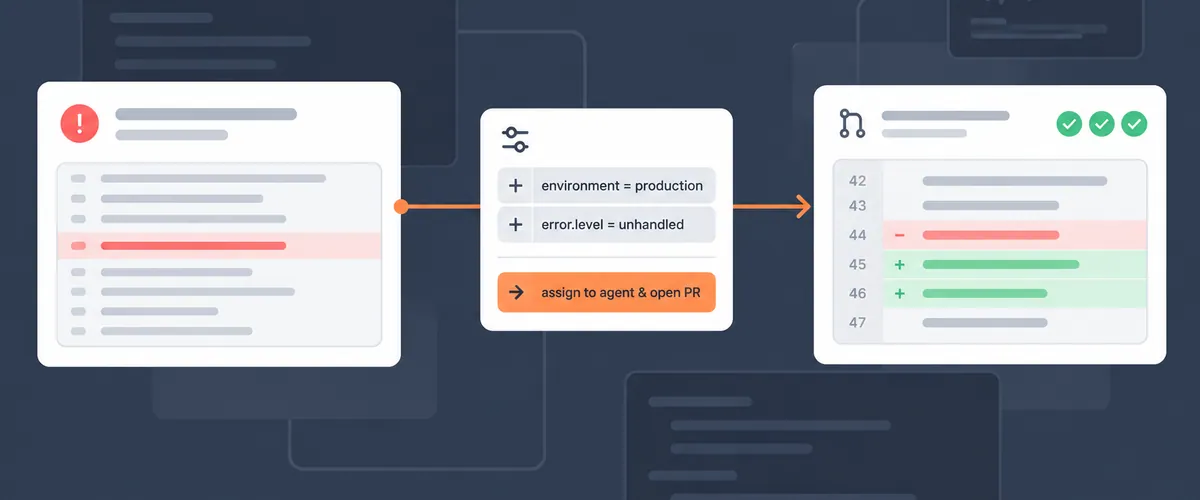
With an Agent Automation rule set to fix PR creation, Rollbar hands each matching production error to Resolve, and Resolve opens a pull request with a proposed fix against your GitHub repository.
The rule needs four things in place before it produces a pull request: the Rollbar GitHub App, a repository mapped to your project, a credit balance large enough for a run to start, and the rule itself. A fifth step sends the results to Slack or email. If you already run a root cause analysis rule from our Agent Automation post, steps 1 and 2 are done, and step 4 means changing that rule’s outcome.
TL;DR
- An Agent Automation rule whose outcome is fix PR creation runs root cause analysis on each matching error, then has Resolve open a pull request with a proposed fix.
- Resolve reads your code and opens pull requests through the Rollbar GitHub App, with the repository mapped to your Rollbar project.
- Rollbar reserves your per-run credit limit, 12,000 credits by default, when a run starts, and a run does not start if your balance is lower. Essentials includes 4,000 AI credits a month and Advanced includes 8,000.
- A rule set to Environment
productionand Level Error matches errors at Error level or above in production, and each item gets one run while it stays open. - Resolve never merges its own pull request. When your team merges it, Rollbar marks the involved items resolved.
Before you start
You need three things:
- A Rollbar project that receives errors from code hosted in a GitHub repository.
- AI features turned on for the account. If an account administrator turned them off, Agent Automation does not appear in any project, and an account owner can turn them back on at Account Settings → Agents.
- An account owner for step 3, because only account owners can change the per-run credit limit.
Step 1: Install the Rollbar GitHub App
Go to Account Settings → Source Control and choose Connect GitHub. GitHub asks which organization and repositories to grant access to, and you can limit the install to specific repositories. If your account connected GitHub through OAuth earlier for code context, installing the app replaces that connection.
The app asks for read access to repository contents, which root cause analysis uses to read your code, and write access to pull requests, which Resolve uses to open one. It has no access to your repository settings, secrets, or other GitHub resources. Resolve pushes commits to a branch it creates, and it does not push to your default branch or merge pull requests.
Step 2: Map the repository to your Rollbar project
After the install, map the repository to the Rollbar project your rule will run in. The GitHub integration docs cover the mapping, including the branch and the project root within the repository.
Rollbar compares the stack frames on each item with the file paths in the mapped repository, and it blocks a Resolve run when they don’t match. If your frames carry a deploy path such as /var/www/app/ in front of the repository path, set server.root in your Rollbar SDK so Rollbar knows which part of each path to match. For client-side JavaScript, upload source maps, because minified frames never resolve to real files.
Step 3: Check that your credit balance covers the per-run limit
When a Resolve run starts, Rollbar reserves your per-run credit limit against your balance until the run ends. The default limit is 12,000 credits, and a run does not start when your balance is below it.
Essentials includes 4,000 AI credits a month and Advanced includes 8,000, according to our pricing page for AI agents. If your balance comes only from those included credits, an account owner does one of three things before a run can start:
- Add a credit subscription at Account Settings → Your Plan & Usage, in the Credits section. Credits cost the same on every plan, and the smallest subscription is 15,000 credits a month for $5. The Credit Billing docs cover proration and downgrades.
- Enable on-demand, so usage past your balance is billed as on-demand overage.
- Lower the per-run limit under Account Settings → Agents. A run that reaches the limit stops before it finishes, and a Resolve run costs more than root cause analysis alone, because it also writes code and runs your checks in the sandbox.
To cap what rules can spend in a month, set a Credit Budget at Account Settings → Billing Info. Rollbar records who started each run and how many credits it used, and the Usage Breakdown tab shows that history by task type.
Step 4: Create the rule with fix PR creation as its outcome
Open Project Settings → Agent Automation in the project you mapped, and create a rule:
- Set Environment to
production. - Set Level to Error, so the rule matches errors at Error level and above.
- Choose Fix PR creation as the outcome.
If the project already has a root cause analysis rule, change its outcome to fix PR creation.
When an occurrence matches the rule, Rollbar runs root cause analysis first. Resolve then clones your repository into a sandbox, loads the item and its telemetry, makes a code change, runs the tools you have configured, such as your test suite and linters, and opens the pull request.
An item gets one run while it stays open, so an error that fires a thousand times produces at most one pull request. The rule runs on that item again only after the item is resolved and reopened and a later occurrence meets the rule’s conditions.
Step 5: Send fix PR results to Slack or email
Go to Project Settings → Notifications, or use the shortcut on the Agent Automation screen, and add a rule for the Fix PR creation succeeded/failed trigger. Include the failed case, so you hear about a run that stopped in the same channel where you hear about one that opened a pull request.
Reviewing the pull request Resolve opens
The pull request description says what Resolve changed and why, and it links back to the Rollbar item. Each commit message references the item too. Resolve commits without running local Git hooks, because the sandbox does not have your hook tooling installed, and your repository’s CI runs against the pull request as it does for any other.
When you merge the pull request, Rollbar records the merge on the item timeline and marks the involved items resolved. If the analysis found several items with the same root cause, the same pull request is attached to each of them, and merging it resolves all of them.
When a matching error produces no pull request
Filter the Items list by Agent Involved to find the items a rule has picked up, then open an item’s Root cause & fix tab. A Resolve task is In Progress, Blocked, Completed, or Canceled, and a blocked task says why. These are the blocked states in the Rollbar Resolve docs:
- Not Connected. GitHub is not connected for the project. Install the app and map a repository, as in steps 1 and 2.
- Invalid repository mapping. The stack frames don’t match paths in the mapped repository, and the tab explains how to correct the mapping.
- More than one repository. During the beta, Resolve changes one repository per fix. If the analysis finds the fix needs changes in several repositories, Resolve can’t start on that item.
- Credit limit reached. The run hit the per-run limit and stopped. An account owner raises the limit under Account Settings → Agents, and the run can then be started again.
An analysis can also come back as Root cause indeterminable, which usually means it had no usable view of your code: GitHub not connected, the repository not mapped, or source maps missing. Fix the setup and choose Retry analysis.
Open the Agent Automation docs and create your fix PR rule
FAQ
Does Resolve merge the pull request on its own?
No. Resolve opens the pull request and stops there. Your team reviews and merges it, and Rollbar marks the involved items resolved after the merge.
Why did my Agent Automation rule match an error but not open a pull request?
Open the item’s Root cause & fix tab, where a blocked Resolve task says why. The usual causes are GitHub not connected for the project, a repository mapping whose paths don’t match the stack frames, a fix that needs changes in more than one repository, or a credit balance below the per-run limit.
How many credits does a Resolve run need to start?
Rollbar reserves your per-run limit, 12,000 credits by default, when a run starts, and the run does not start if your balance is lower. What each run uses is recorded and shown in the Usage Breakdown tab. A Resolve run costs more than root cause analysis alone, because it also writes code and runs your checks.
Can I limit the rule to production errors?
Yes. Set Environment to production and Level to Error, and the rule matches only errors at Error level or above in production.
<script type="application/ld+json">
{
  "@context": "https://schema.org",
  "@type": "FAQPage",
  "mainEntity": [
    { "@type": "Question", "name": "Does Resolve merge the pull request on its own?",
      "acceptedAnswer": { "@type": "Answer", "text": "No. Resolve opens the pull request and stops there. Your team reviews and merges it, and Rollbar marks the involved items resolved after the merge." } },
    { "@type": "Question", "name": "Why did my Agent Automation rule match an error but not open a pull request?",
      "acceptedAnswer": { "@type": "Answer", "text": "Open the item's Root cause & fix tab, where a blocked Resolve task says why. The usual causes are GitHub not connected for the project, a repository mapping whose paths don't match the stack frames, a fix that needs changes in more than one repository, or a credit balance below the per-run limit." } },
    { "@type": "Question", "name": "How many credits does a Resolve run need to start?",
      "acceptedAnswer": { "@type": "Answer", "text": "Rollbar reserves your per-run limit, 12,000 credits by default, when a run starts, and the run does not start if your balance is lower. What each run uses is recorded and shown in the Usage Breakdown tab. A Resolve run costs more than root cause analysis alone, because it also writes code and runs your checks." } },
    { "@type": "Question", "name": "Can I limit the rule to production errors?",
      "acceptedAnswer": { "@type": "Answer", "text": "Yes. Set Environment to production and Level to Error, and the rule matches only errors at Error level or above in production." } }
  ]
}
</script>
