If you've ever fixed a bug only to watch it come back two weeks later, you already understand why root cause analysis matters. Patching symptoms feels productive - it's not. Getting to the actual cause is what prevents the same issue from eating your team's time over and over again.
This guide covers everything you need to know about root cause analysis (RCA) in software testing: what it is, how to do it, which tools help, and where AI is taking it next.
What Is Root Cause Analysis in Software Testing?
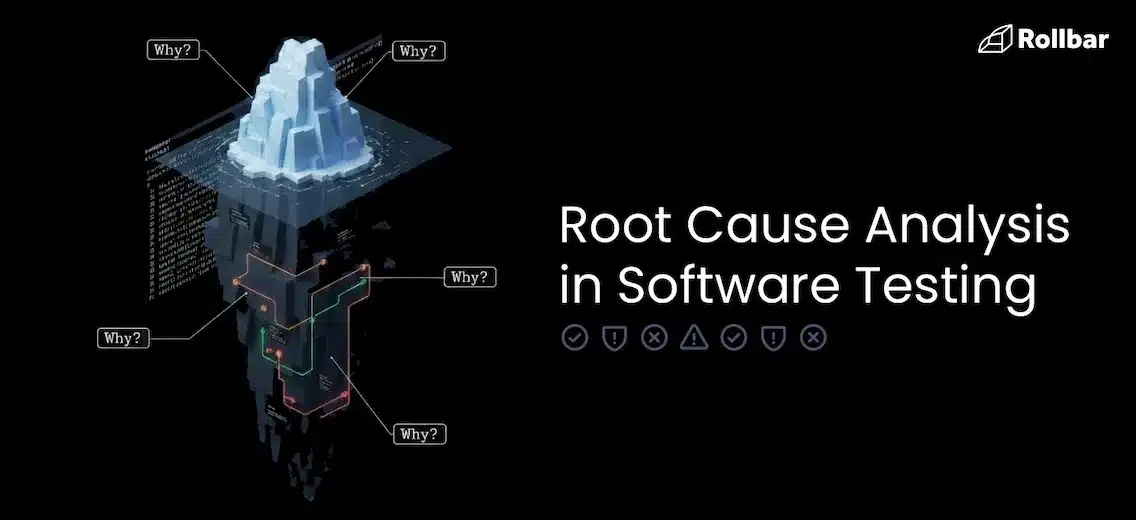
Root cause analysis in software testing is a structured process for identifying the underlying cause of a software defect, rather than just fixing the visible symptom - so the issue doesn't keep recurring.
The goal isn't to assign blame. It's to understand the chain of events that led to a failure and make changes that prevent it from happening again. That could mean fixing a line of code, updating a process, improving test coverage, or clarifying requirements. Often it's a combination.
When Should You Actually Do a RCA?
Not every bug needs a full RCA. A typo in the UI doesn't warrant a two-hour investigation. RCA makes sense when:
- A bug has caused significant user impact or downtime
- The same issue (or class of issue) keeps coming back
- A defect slipped through testing and hit production
- A post-incident review is part of your process
For minor, isolated bugs, a quick fix and a note in your ticket is enough. Save RCA for the stuff that actually hurts.
The Role of Error Monitoring in Modern RCA
Before teams had error monitoring tools, RCA started with a user complaint, a vague log file, and a lot of guesswork. Today, tools like Rollbar give you grouped error data, stack traces, deployment context, and user impact information right out of the box. That changes where your RCA investigation begins - instead of starting from zero, you're starting with real data.
Common Root Cause Categories for Software Defects
When you do enough RCAs, you start to notice patterns. Most software defects fall into one of these categories:
📑 Requirements and Design Flaws
The bug wasn't introduced in the code; it was baked into the spec. Ambiguous requirements, missing edge cases, or a design that didn't account for real-world usage. These are frustrating because by the time the bug surfaces, a lot of work has already been done on a flawed foundation.
🪳 Code and Logic Errors
The classic. A developer misunderstood the expected behavior, introduced an off-by-one error, forgot to handle a null case, or made an incorrect assumption about how a library works. These are usually the most straightforward to identify and fix.
⚙️ Environment and Configuration Issues
The code works fine locally. It breaks in staging. It works in staging but fails in production. Environment and configuration issues are sneaky because they don't show up in unit tests and can be hard to reproduce. Differences in OS versions, environment variables, infrastructure settings, or dependency versions are all common culprits.
💬 Process and Communication Breakdowns
Sometimes bugs happen not because of a technical failure but because two teams had different understandings of how a feature should behave, or because a change wasn't communicated to the right people. These are the hardest to catch in a code review.
💣 Third-Party Dependencies and Integrations
Your code is fine. The API you're calling changed its response format. A library you depend on pushed a breaking update. External dependencies introduce failure modes you don't fully control, which makes RCA tricky because the fix might be on someone else's side.
Once you've identified the likely category, you need a structured way to trace it back to its source. That's where RCA methods come in.
How to Structure Your RCA Investigation
There are several established methods for doing RCA. You don't need to pick just one. Different situations call for different approaches, and experienced teams often combine them.
The 5 Whys
The simplest and most widely used method. You take the problem statement and ask "why" five times (sometimes more, sometimes fewer) until you reach a root cause that's actionable.
Example:
- The payment service threw a 500 error. Why?
- Because a database query timed out. Why?
- Because the query was running on an unindexed column. Why?
- Because the table grew significantly larger than expected after a new feature launched. Why?
- Because load testing didn't account for the projected data volume.
Root cause: inadequate load testing criteria. Fix: update load testing to reflect realistic data volumes.
Fishbone (Ishikawa) Diagram
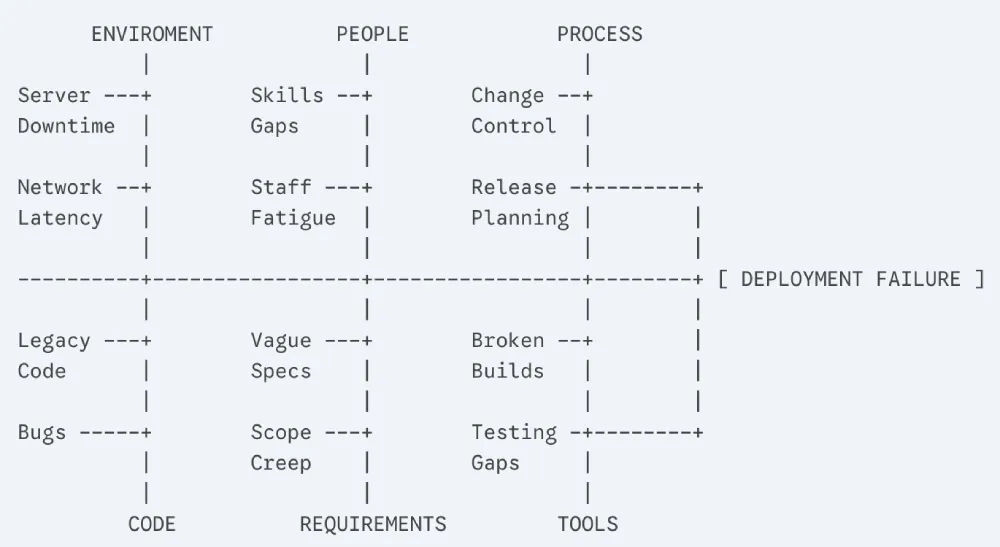
Also called a cause-and-effect diagram. You put the problem at the head of the fish and map out potential causes along the bones, grouped by category (people, process, tools, environment, etc.). Good for brainstorming all possible causes before narrowing down.
Fault Tree Analysis
A top-down, logic-based approach where you start with the failure and map out all the combinations of events that could have caused it. More formal and thorough than the 5 Whys, and useful for complex systems with multiple interacting components.
Pareto Analysis
Based on the 80/20 principle; the idea that 80% of your problems come from 20% of your causes. You analyze defect data to identify which root cause categories are responsible for the majority of your bugs, then prioritize fixing those first.
Change Analysis
Simple but effective: what changed right before the bug appeared? A deployment, a config update, a dependency bump, a schema migration? Correlating failures with recent changes is often the fastest path to a root cause, especially in production incidents.
Putting RCA Into Practice
Picking a framework is the easy part. Here's what the actual investigation looks like on the ground.
Gather the Right Data
You can't do RCA without data. Before you start theorizing about causes, make sure you have:
- The exact error message and stack trace
- When the bug first appeared and how frequently it's occurring
- Which users or environments are affected
- What was deployed or changed around the time it started
- Logs from the relevant time window
This is where error monitoring tools earn their keep. Instead of manually hunting through logs, tools like Rollbar automatically group related errors, attach stack traces, and surface contextual data like which browser, OS, or user session triggered the issue. That cuts your data-gathering time significantly.
Reproduce the Defect Consistently
If you can't reproduce a bug reliably, you can't be confident you've actually fixed it. Reproduction often requires matching the exact environment, data state, and sequence of events that triggered the failure. Error monitoring tools help here too - breadcrumb trails show you the sequence of events leading up to an error.
Isolate Variables
Once you can reproduce the bug, start eliminating variables. Does it happen on all environments or just one? With all users or a specific subset? After a specific action or randomly? Narrowing the conditions under which the bug occurs points you toward the cause.
Collaborate Across Teams
Some bugs live at the intersection of multiple systems or teams. A defect that looks like a backend issue might have a frontend trigger, or might be caused by an infrastructure change the ops team made. Getting the right people in the room - or in the Slack channel - early in the investigation prevents tunnel vision and speeds things up.
RCA Examples
Theory is useful. Examples are more useful.
Example 1: Tracing a Recurring Production Bug with Error Monitoring
A team notices through Rollbar that a specific API endpoint is throwing 503 errors intermittently - about 2% of requests, mostly during peak traffic hours. The errors are grouped automatically, so they can see this has been happening for three days and is affecting roughly 400 users.
They pull the stack trace, see the error is originating in the service layer, and correlate it with deployment logs showing a new feature went live four days ago. Using the 5 Whys, they trace it to a connection pool that's being exhausted under load because the new feature opens database connections without properly closing them.
Fix: update the new feature to properly manage connection lifecycle. RCA report documents the finding and adds a connection management check to the code review checklist.
Example 2: A 5 Whys Walkthrough of Incorrect Data
A QA engineer finds that a date formatting bug is causing incorrect invoice dates in a small percentage of records.
- Why are invoice dates wrong? Because they're being formatted using the server's local timezone instead of UTC.
- Why is the server's local timezone being used? Because the date formatting function doesn't specify a timezone.
- Why doesn't it specify a timezone? Because it was written before the app had international users and timezone handling was never considered.
- Why wasn't this caught in testing? Because the test suite runs in UTC and doesn't test timezone edge cases.
- Why doesn't the test suite cover timezone edge cases? Because there's no test coverage policy for internationalization.
Root cause: no i18n testing standards. Fix: add timezone-aware formatting and introduce i18n testing requirements.
Example 3: Catching an Environment Issue Through Log Analysis
A staging environment is randomly failing a suite of integration tests that pass consistently in local dev. The team digs into the logs and notices the failures always coincide with a specific external API call returning a 429 error (rate limit exceeded).
The local environment uses a mock for that API. Staging hits the real one. And staging runs tests in parallel, which means multiple test runs are hammering the API simultaneously. Root cause: test environment configuration doesn't account for external API rate limits. Fix: add throttling to integration test runs in staging, and add the external API to the mock layer.
RCA Template for Software Testing
Documenting your RCA findings consistently makes it easier to spot patterns over time and share knowledge across the team. Here's a straightforward template:
AI Root Cause Analysis Changes the Game
Manual RCA works. But it doesn't scale particularly well. When you're dealing with a high-volume production system, dozens of microservices, and a constant stream of errors, doing a thorough 5 Whys investigation on every significant issue isn't realistic.
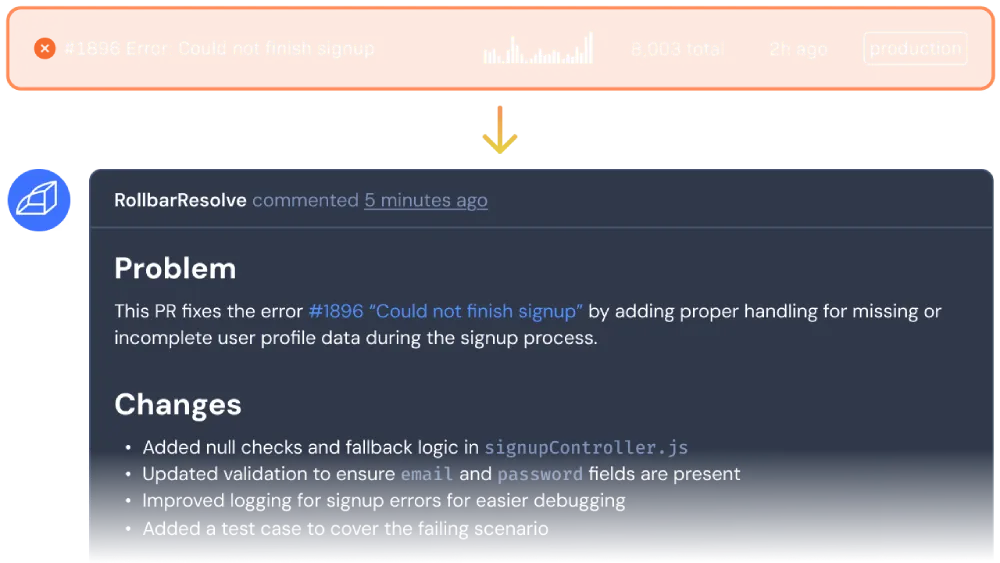
That’s where AI-powered RCA comes in. Imagine an AI agent that doesn't just flag that an error occurred, it actively investigates the root cause and writes a fix. This fix gets applied in an isolated environment, tests are run, and only then is a PR opened for your review. The agent learns from your feedback with every merge and gets better over time.
Rollbar Resolve is that agent. Connect your project now and watch it work on your next real error.